Rejecting a Candidate
Rejecting/Terminating a Candidate
Rejection
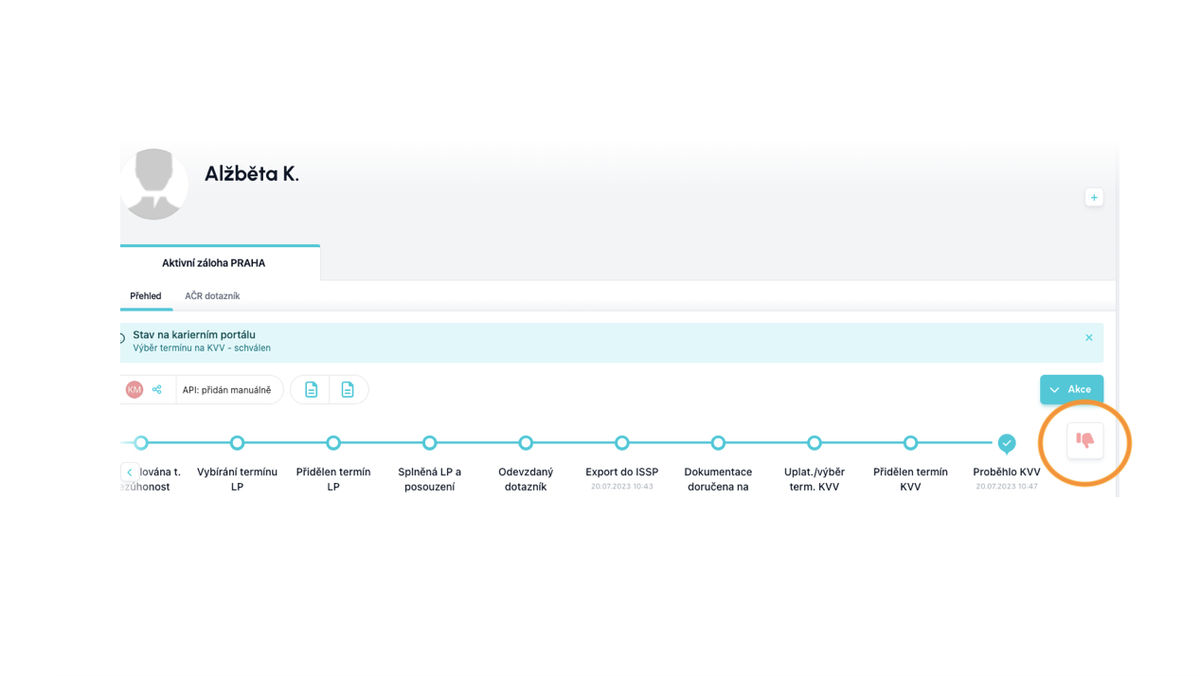
We reject a candidate by clicking on the red thumbs down icon at the end of the workflow. If you reject the candidate, the system will prompt you to record the rejection reason.
Rejection Reasons
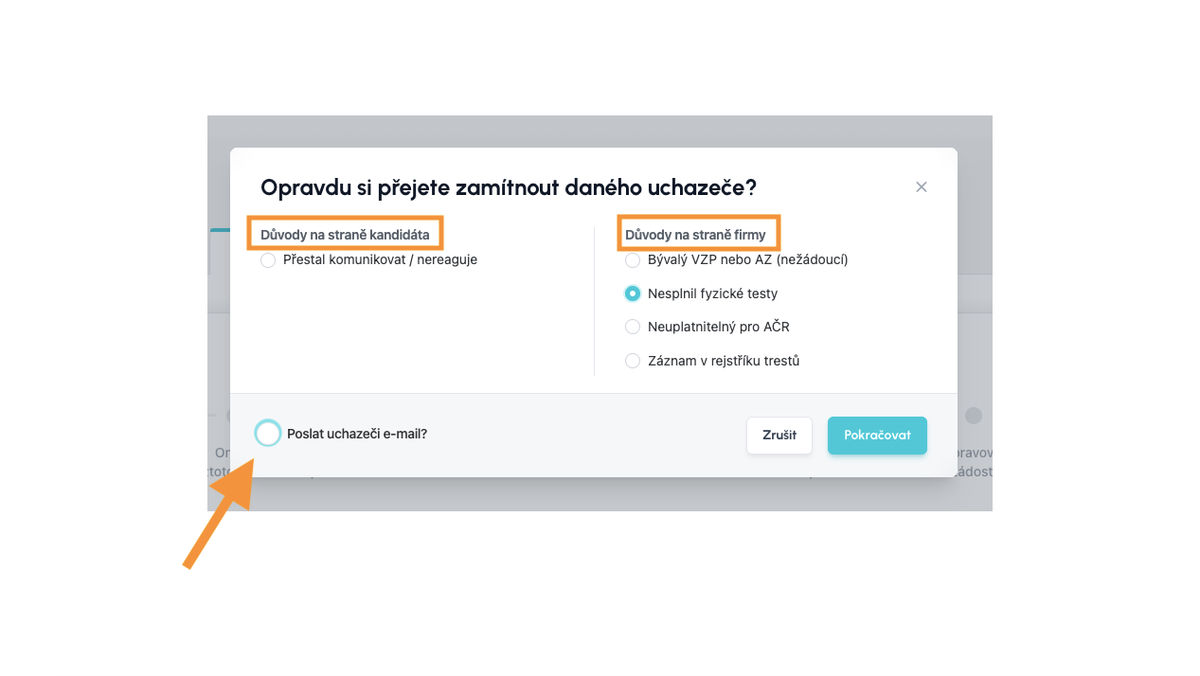
Before a candidate is definitively rejected, you will be prompted to provide a rejection reason.
Possible rejection reasons
- reasons on the candidate's side
- reasons on the employer's side
Select the rejection reason and click continue.
If you chose the option to send the candidate a rejection email, an email window will appear. Here you can edit the message and then send it.
Restoring a Rejected Candidate
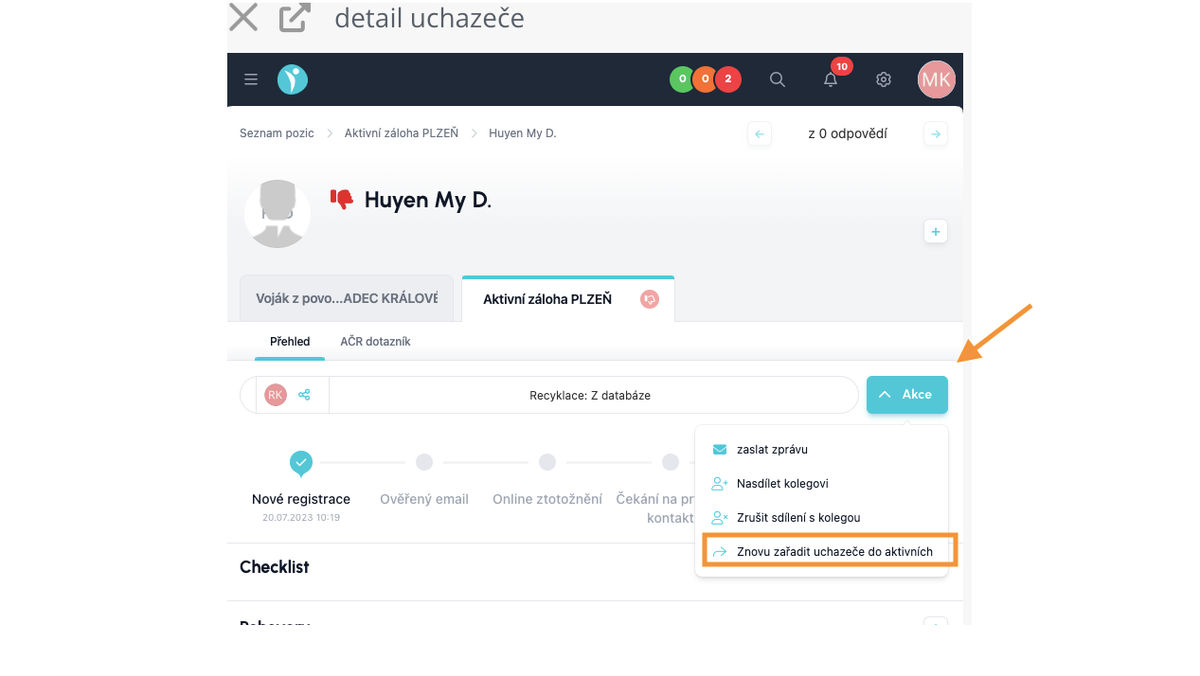
A rejected candidate can be returned to the process via the Action button - re-add the candidate to active.
💡The restored candidate will return to the flow in which they were rejected.
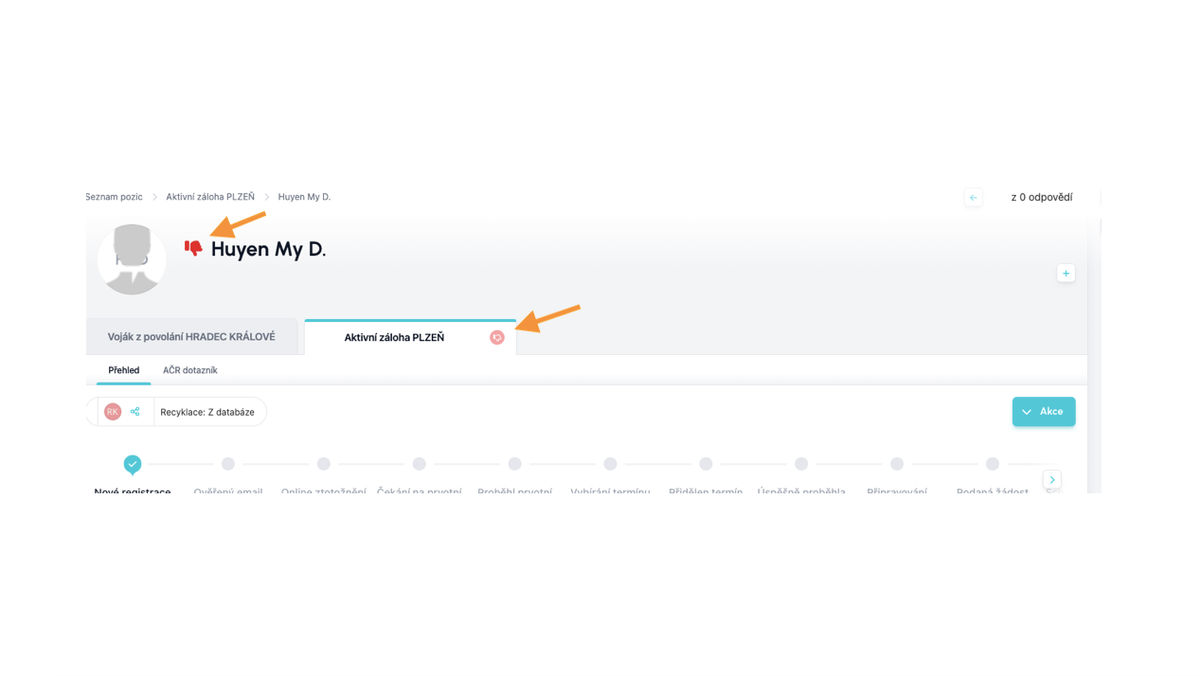
Rejected Candidate
Restoring a Rejected Candidate
A rejected candidate can be returned to the process via the Action button - re-add the candidate to active.
Related articles
SLA Traffic Light
The SLA traffic light helps prioritize candidate processing management in recruitment.
Checklists
Effectively manage tasks in the recruitment process and maintain an overview of their completion within a single status in the flow.
Candidate Card
The candidate card records actions with the candidate. Progress in recruitment, Interview scheduling, Task control (Checklist), and Action history.